Sabziyar — AI sales assistant for greengrocers and fruit shops
An AI sales assistant for a local greengrocer: it answers customers’ messages, tells them today’s price and takes orders by weight and preparation
- An AI assistant that answers from your own data
- Today’s price with the right unit
- Orders by weight, preparation and delivery
- Order and question alerts for the seller

Print it and put it up in the shop. A customer scans it with the phone camera and picks Android or iPhone.
Download the printable poster (PDF, A4)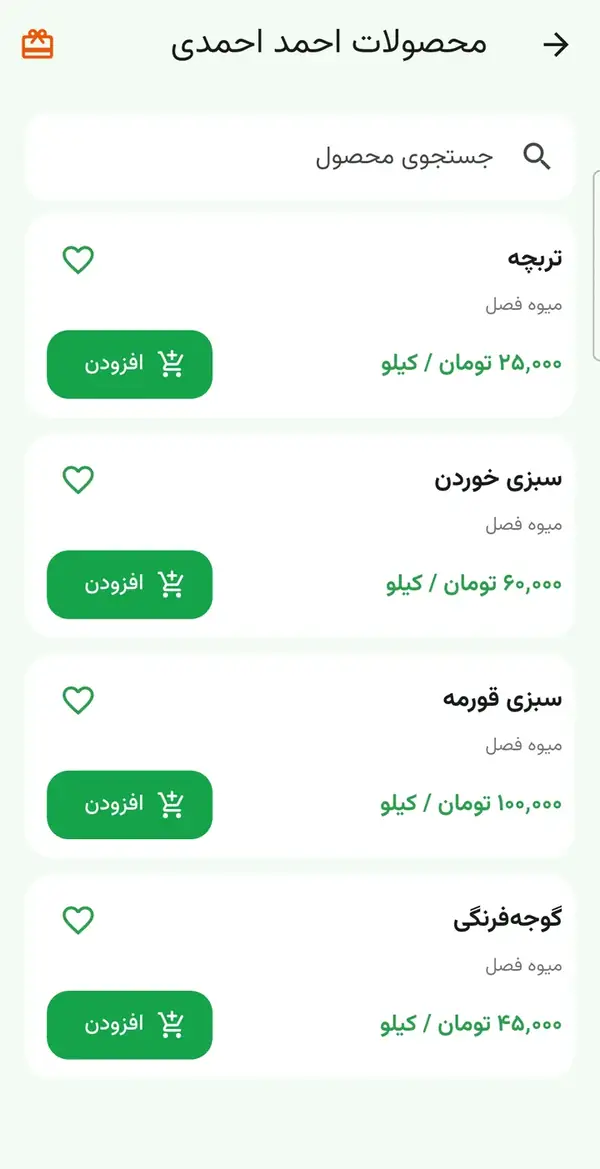
Sabziyar is two Android apps (customer and seller) and one server for a greengrocer’s shop. A customer asks about a product and today’s price, and the seller confirms the order. The AI assistant is switched on for a shop only with our permission and answers only from the seller’s data. Without it, the assistant gives simple answers.
Why Sabziyar?
Made for: Local greengrocers and fruit shops, especially shops that clean, chop and pack herbs and have regular customers
An AI assistant that answers from your own data
The AI is switched on for a shop only with our permission. To answer, it uses the prices and notes the seller wrote. It can be wrong; if it does not know the answer, it holds the question for the seller.
Today’s price with the right unit
Each product has a selling unit: kilo, pack, piece or bunch. The seller sets today’s price, discounts and “unavailable”, and the customer sees the price as, for example, “200,000 toman / kilo”.
Orders by weight, preparation and delivery
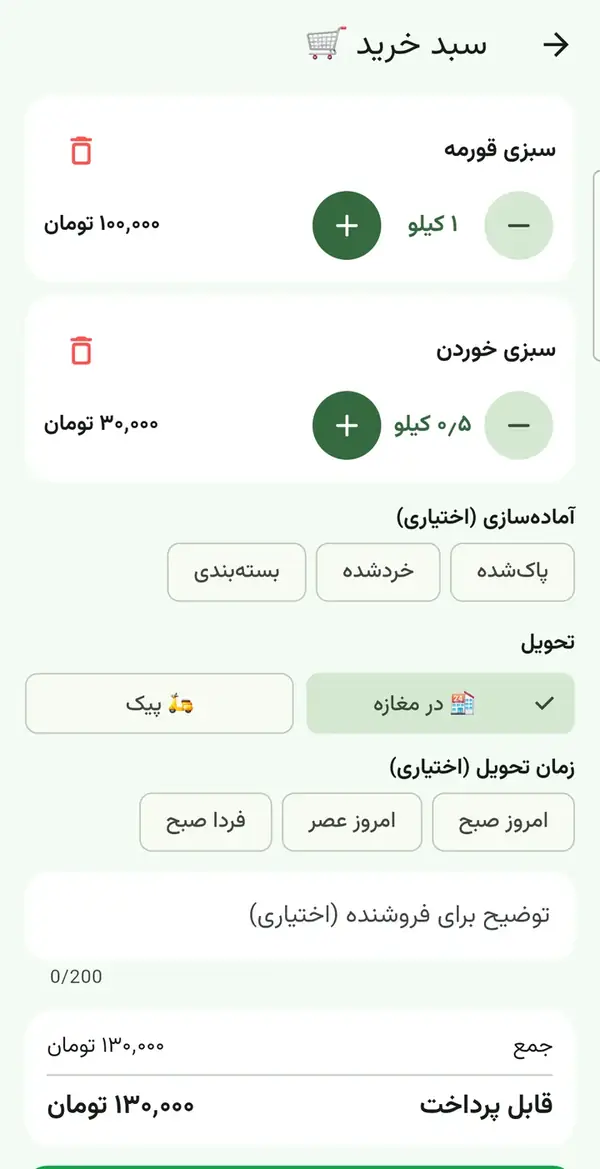
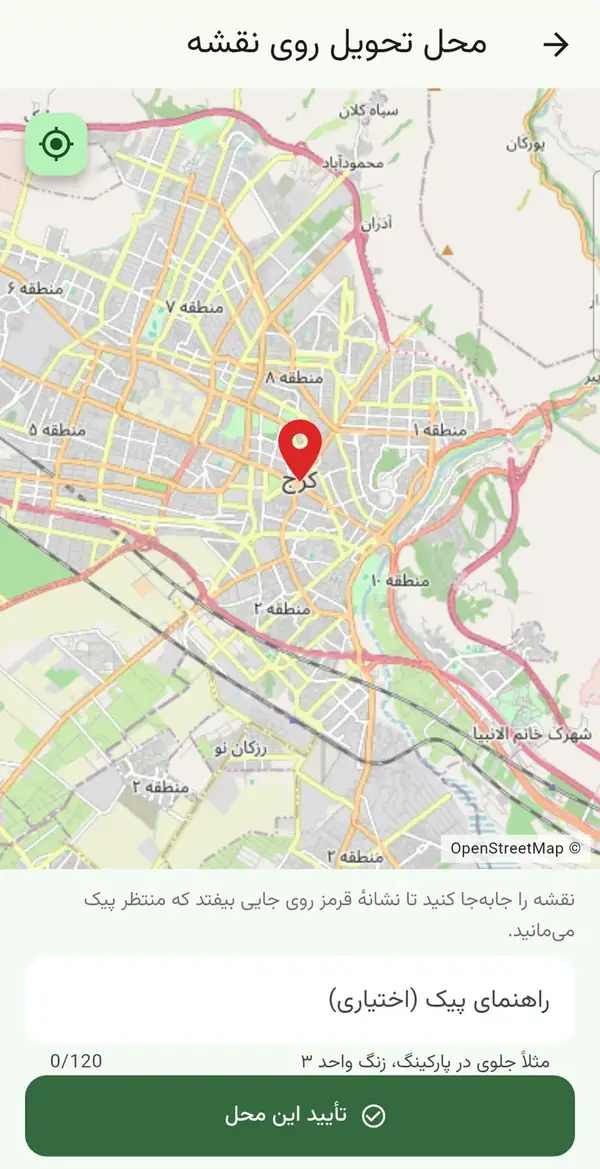
The customer picks the amount in half-kilo steps and sees the total at once. Preparation (cleaned, chopped, packed), pickup or courier, a time and a note are recorded too. “Reorder” brings back the same choices.
Order and question alerts for the seller
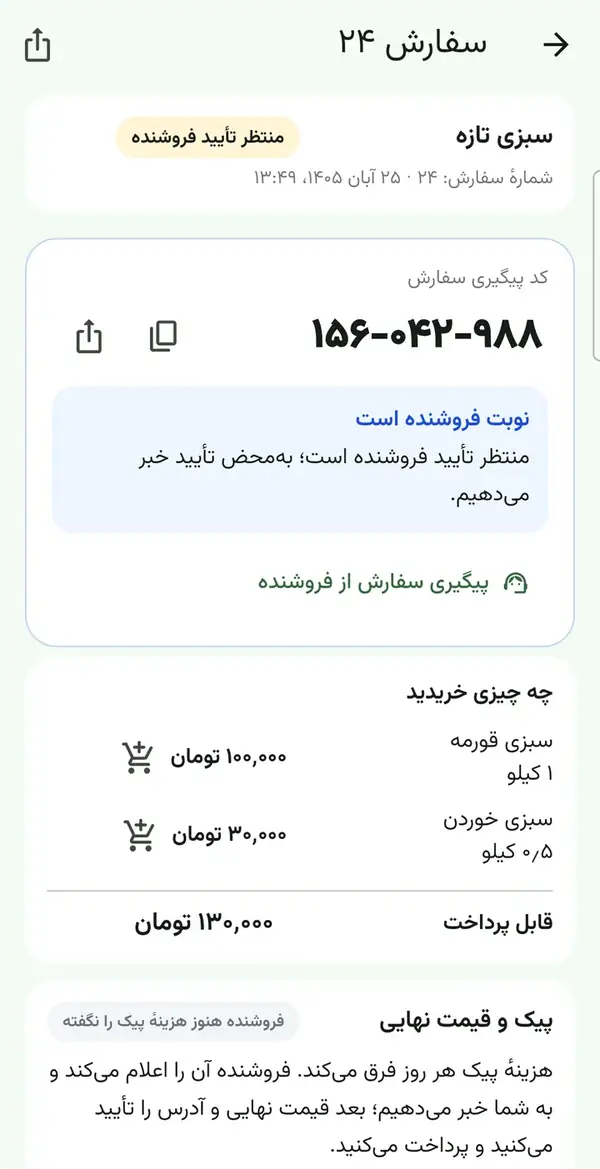
New orders and questions show as a notification on the seller’s phone: within about 20 seconds while the app is open and roughly every 15 minutes in the background, because Android allows no more. The seller confirms or rejects the order and taps “ready”; the customer is notified too.
Today’s price list in one tap
A “today’s prices” text is built from the priced products. The seller reads it, edits it if needed and sends it to customers who agreed to receive offers (at most three a day). An Excel sales report is available when support enables it for the shop.
SMS sign-in and control over data
The seller signs in with a registered number and an SMS code, and the account is bound to one phone. A customer can ask for their account to be deleted from the app settings. Sabziyar does not ask for card numbers or passwords, and no money passes through the app.
See the app
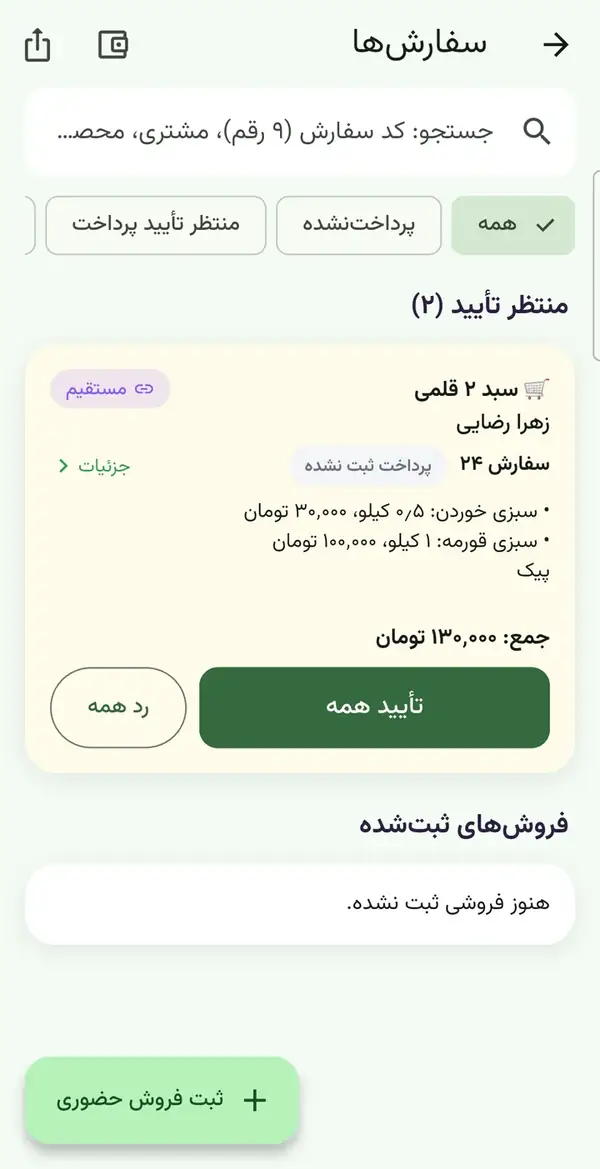
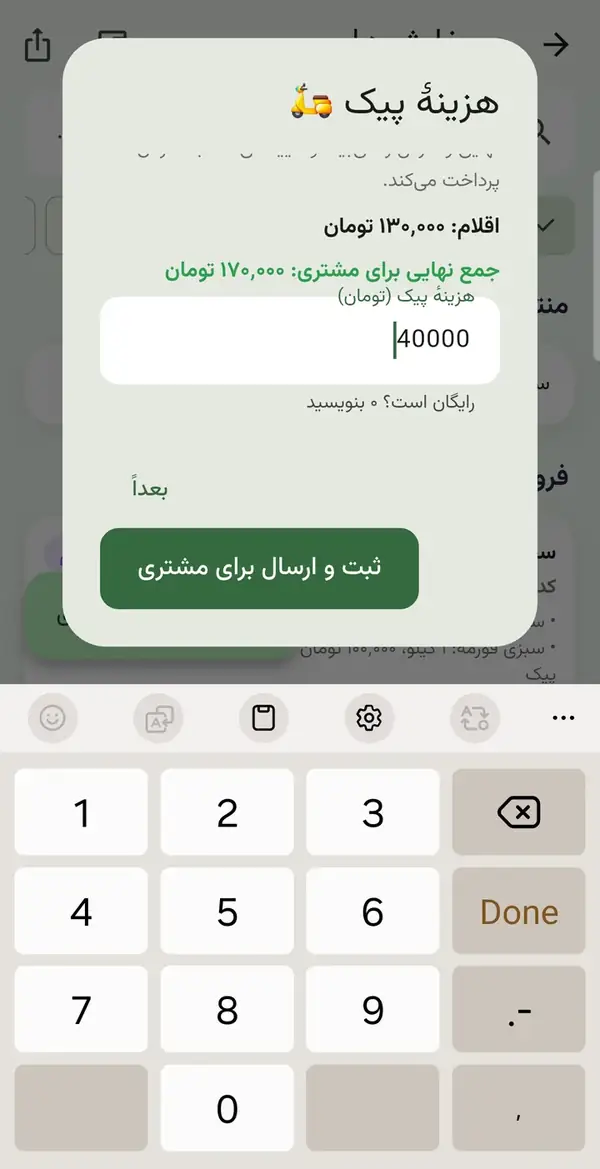
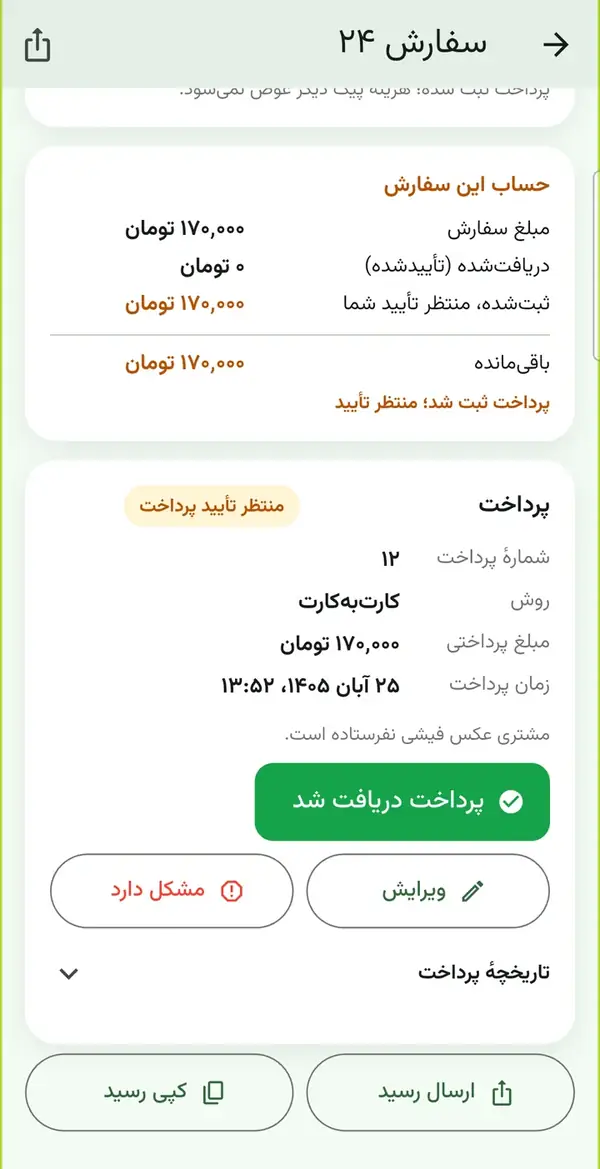
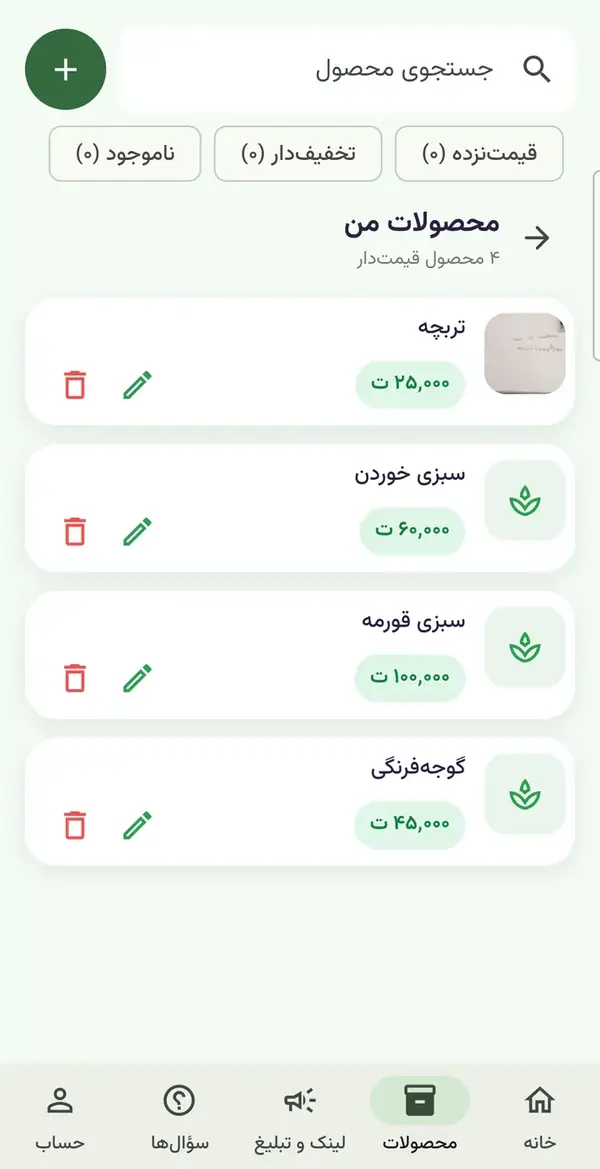
How do you install Sabziyar?
You install the app from iPhone web app; updates arrive from there automatically.
Download
The seller app is for the shopkeeper and the customer app is for customers. Get either from this page and, if you like, compare the seller app’s SHA-256 with your file.
Allow installation
If Android asks about installing from an unknown source, allow it. The app is signed with a release key, but because it is not from a store Android may show a warning.
Seller sign-in
The shopkeeper’s mobile number must be registered first. Enter the number, type the SMS code, and the account is tied to that phone only.
Customer sign-up
A customer signs up with a name and a mobile number, accepts the terms, types the SMS code and starts the chat with the shop’s link.
Customers on iPhone
Sellers have the Android app only for now. A customer on iPhone taps “Install the iPhone version” (or opens sabzi.solocodelab.com/web/ in Safari), taps Share, then Add to Home Screen, and signs in from the Sabziyar icon. There are no instant notifications; open the app to see an order’s state.
SHA-256 · Sabziyar-Seller-v1.27.0.apk81c65a58d24fc741d58fc227b462944169b053c977fd85d595c6d52c28e272ec
SHA-256 · Sabziyar-Customer-v1.19.1.apk7a42c271a3883e893268698aa1102d64025fa3b38f25e7fb5228d50657bcdf86
Pricing
The first 14 days are free for every seller. After that the seller account is locked until you agree a subscription with support. The subscription price is fixed and written down after we talk about your number of customers and your shop’s needs. Customers pay the shop card to card; no money passes through the app.
AI Chatbots & Automation
Want a similar product for your business or school?
Read more →Sabziyar FAQ
How does Sabziyar’s AI assistant answer?
The AI is switched on for a shop only with our permission. Once on, it uses the prices and notes the seller entered in the app to answer; it can be wrong, and if it does not know the answer it holds the question for the seller. Without it, it gives only simple answers from the product data.
Can the assistant answer about freshness, stock or food allergies?
No. Only the seller knows the stock and freshness at this moment, and for food allergies or medical matters a doctor or dietitian should be asked. The assistant makes no such claims and does not write “organic” or “pesticide-free” on its own.
How does payment work?
Card to card, directly between the customer and the shop. The seller registers a receiving card in the app and the card number is sent to the customer after each order. Sabziyar is not a financial intermediary and does not ask for a customer’s card number or password.
Does it need the internet?
Yes. Messages, prices and orders are sent online and sign-in uses an SMS code. Without the internet the app cannot deliver a message or an order.
How long is the free trial and what happens after it?
14 days from the day the seller account is created. After that the account is locked, your data and products stay, and the account is reopened once a subscription is agreed. The subscription price is quoted in writing after we discuss your needs.
How do you set up my shop?
Send the shopkeeper’s mobile number and the shop name from the contact page. We register the number, you install the seller app and sign in with an SMS code. Then you enter products and prices and send customers the chat link.
Related articles
AI for a Greengrocer: Today’s Price, Weight and Orders
What an AI assistant can take off a greengrocer’s hands: today’s price answers, orders by weight and preparation, and where the seller must still decide.
AI for Restaurants and Cafés: Menu, Bookings and Review Replies
A menu and booking chatbot, draft replies to reviews and a weekly sales report: see what AI lightens in a restaurant or café, and where not to rely on it.
Automatic Customer Follow-Up: Win Back Leads Who Went Quiet
How to follow up leads who asked for a price and went silent, using a simple CRM and n8n automation, without nagging or forgetting. Method, example and limits.
Get advice on AI Chatbots & Automation
One short consultation is enough to clarify the path, timeline and rough cost of your project.
If you have a problem you think AI might solve, write to me. I’ll tell you honestly whether it will; sometimes the answer is no, and hearing that early is cheaper.