Hazeri — Face-recognition attendance
Face-recognition attendance, fully offline: an old phone or tablet at the door becomes your attendance device
- Face recognition on the device itself
- Three-layer liveness check
- Offline, with no internet permission
- Shifts, lateness and overtime
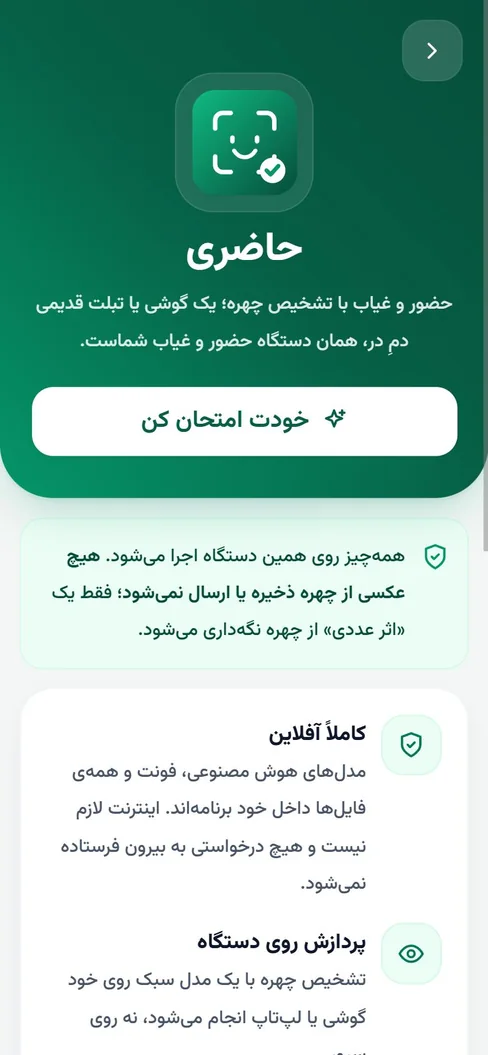
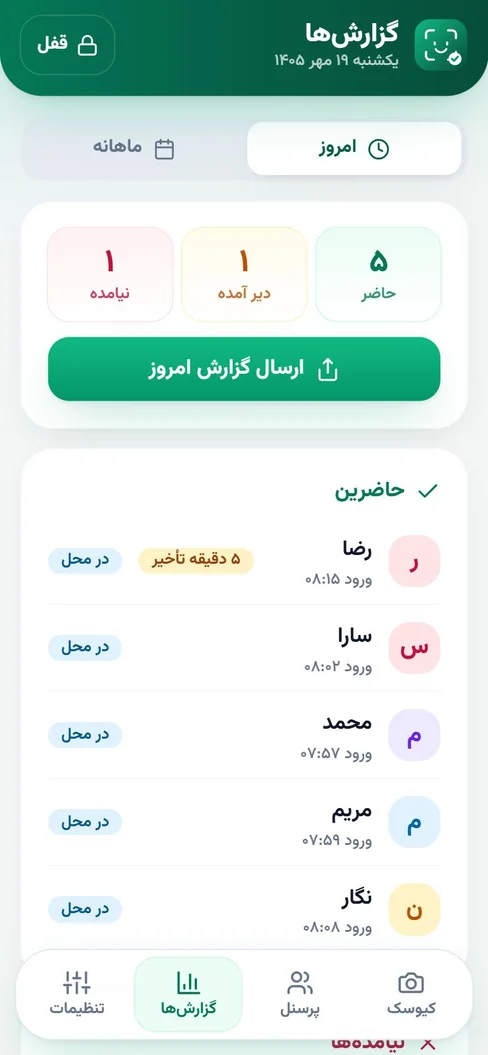
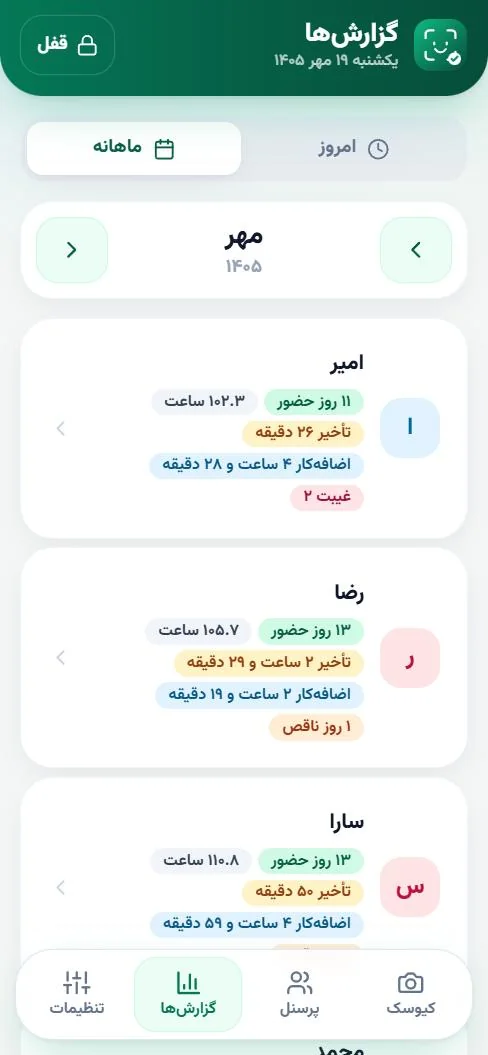
Hazeri is an Android app for face-recognition attendance that works fully offline. You put an old phone or tablet at the door; each person looks at it, does a short liveness challenge and their check-in or check-out is recorded. No face photo is stored, only a numeric vector. It has daily and monthly Persian-calendar reports with Excel export.
Why Hazeri?
Made for: Workshops, clinics, restaurants and cafés, shops, training centers and small companies (from a few people up to about eighty)
Face recognition on the device itself
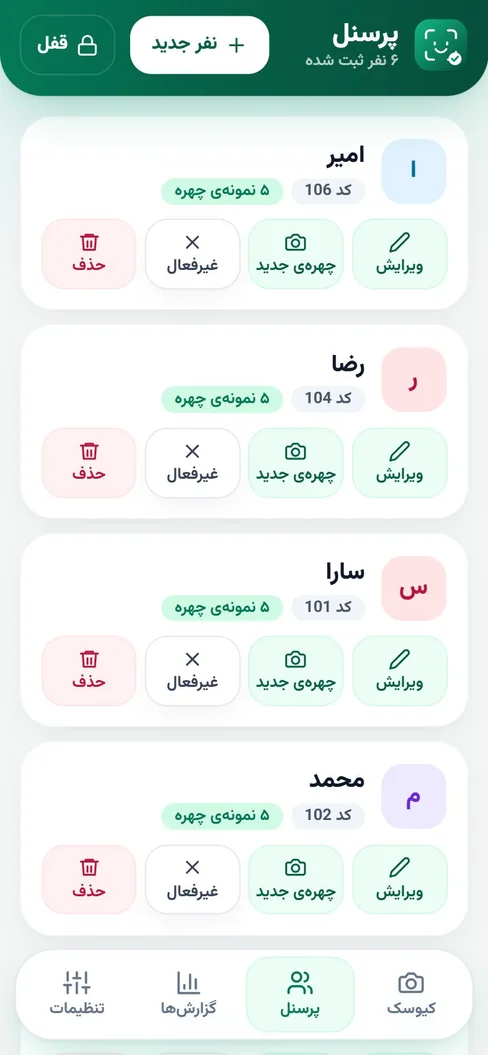
A lightweight face-recognition model runs on the phone, not on a server. Each person is enrolled with five face poses (front, left, right, up, down) and only the numeric face vector is kept, not a photo.
Three-layer liveness check
The model’s anti-spoof score, a random challenge (blink or turn the head) and identity stability over several frames. This level suits workshops, clinics, shops and small companies, not bank-grade security.
Offline, with no internet permission
All models and files are inside the app, and the internet permission is deliberately removed from the Android app, so the app itself cannot connect to a network. The admin area is locked with a PIN and, optionally, a fingerprint.
Shifts, lateness and overtime
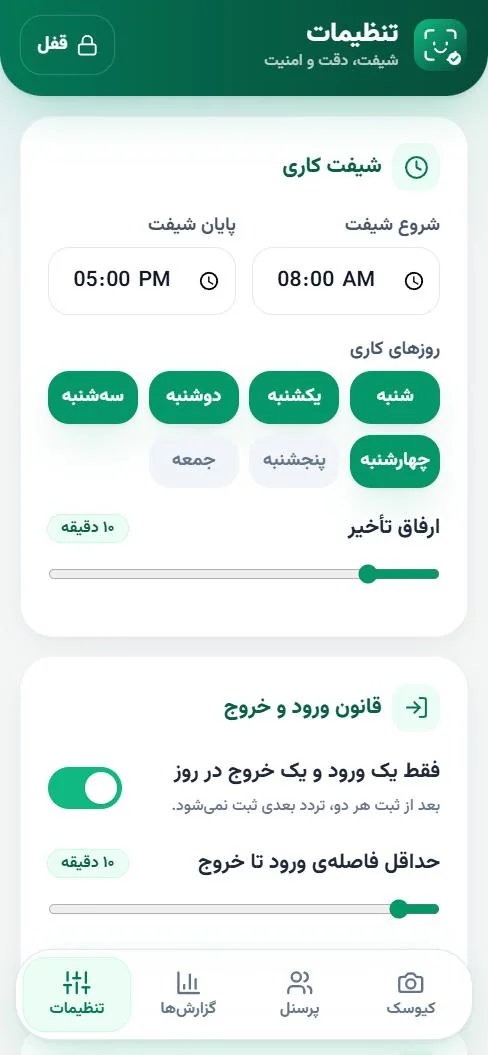
You set shift start and end, the grace minutes and the working days. Each person gets one check-in and one check-out per day, and the minimum time between them is adjustable.
Daily and monthly Persian-calendar reports
Present, late and absent at a glance; a monthly report with days present, hours, lateness, overtime and absences per person, leave, mission and sick days, admin edits with a label, and Excel export.
Report sharing and encrypted backup
You send a report to Bale, Telegram or WhatsApp from the share sheet. The backup file is encrypted with AES-GCM so the app can be moved to another device. Nothing is sent automatically.
See the app
How do you install Hazeri?
The app is downloaded directly from this page, not from a store, so Android asks for permission once.
Download
Tap “Download the free demo for Android” and save the file (about 16 MB). If you like, compare the SHA-256 below with your file.
Allow installation
If Android asks about installing from unknown sources, allow it. The app is signed with a release key, but because it is not from a store, Android may still show a warning.
Camera access
Allow the camera on the first face enrolment; Hazeri has no internet permission and stores no photos.
Your first try
Tap “try it yourself” on the intro screen, or put a phone at the door, enrol a few people with five face poses and try check-in and check-out.
SHA-256 · Hazeri-v1.0.apk53b40a841a417563b1b21277ac369b694b47ef29dda8377c78b7ed938b16dfb7
Signing certificate SHA-25625d3ee513124dafb06431082cc96d8bdcd77a0285726ca1bc84733756f3acd84
Pricing
The demo is free and works with no internet on an Android phone or tablet. For setup in your business, customisation, multiple branches or support, a fixed written price is quoted after we discuss your headcount and needs; message us from the contact page.
Custom AI Model Development
Want a similar product for your business or school?
Read more →Hazeri FAQ
How does Hazeri record attendance?
You put the phone or tablet at the door. Each person looks at the camera, their face is compared with the enrolled samples and, after a short liveness challenge (blink or turn the head), their check-in or check-out is recorded with the time.
Are employees’ face photos stored?
No. Only a numeric vector (embedding) of the face is kept; no photo is stored or sent anywhere. Deleting a person in the app also erases their face data, attendance records and leave entries.
What if someone holds up a photo or video of a colleague?
Three layers stop this: the model’s anti-spoof score, a random challenge (blink or turn the head) and identity stability over several frames. This is enough for a small business but it is not bank-grade; if your site is more sensitive, raise the liveness level and keep a human check as well.
Does it need the internet?
No. The models and files are inside the app and the internet permission is removed from the Android app; enrolment, recognition and reports all work offline.
How many people is it for, and what affects accuracy?
It is designed for small businesses (from a few people up to about eighty). Accuracy depends on light and camera position: face the camera toward soft light, not a window, and tune the similarity threshold in settings. For several branches or a payroll link we build a custom version.
Do I need employees’ consent?
Yes. Face recognition uses biometric data; inform your staff, get their consent and check your country’s and trade’s rules with a specialist before using it. The Hazeri article lists practical points.
How do I try it or order it?
Download the free demo from this page and try it. To order setup in your business or a custom version, message us from the contact page: you see it working before you pay and then receive a written proposal with a fixed price.
Related articles
Offline Face-Recognition Attendance: How Hazeri Works
How does face-recognition attendance work with no internet and no stored photo? See liveness checks, staff privacy and the limits of the method through the Hazeri app.
Chatbots for Training Centers and Schools: What to Hand Over
A training-center chatbot can answer questions about enrolment, class schedules and trial lessons. See what to automate and how to protect student data.
Custom AI Models: Prompting, RAG or Fine-Tuning? A Guide
Does your business need a custom AI model? Prompting, RAG, fine-tuning and training from scratch compared, plus data needs and how to measure accuracy.
Get advice on Custom AI Model Development
One short consultation is enough to clarify the path, timeline and rough cost of your project.
If you have a problem you think AI might solve, write to me. I’ll tell you honestly whether it will; sometimes the answer is no, and hearing that early is cheaper.