Chekyar — Cheque manager with reminders
Track received and issued cheques with due-date reminders — secure and offline on your own phone
- Due-date reminders
- Receivables and payables dashboard
- Photos of both sides
- PIN and fingerprint lock
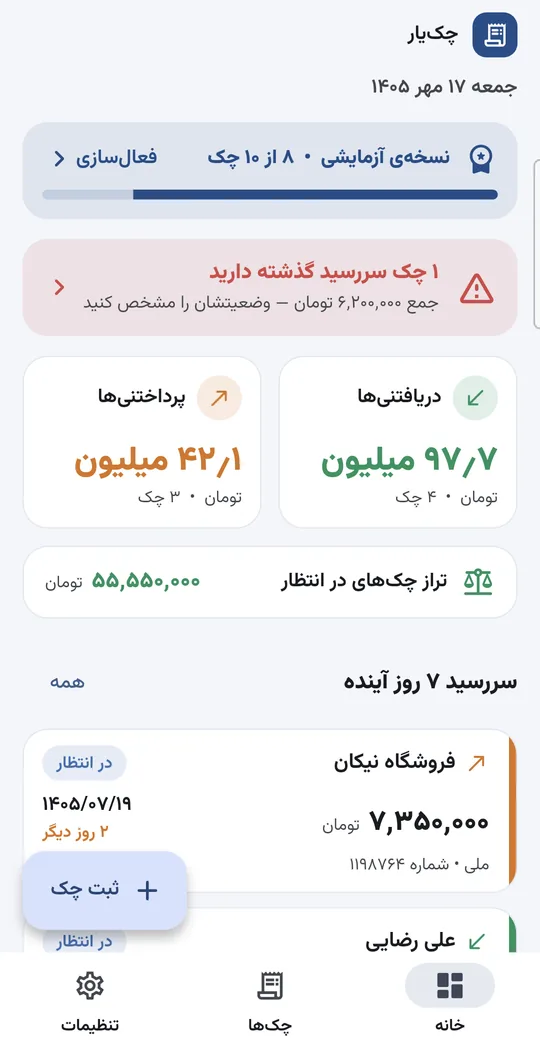
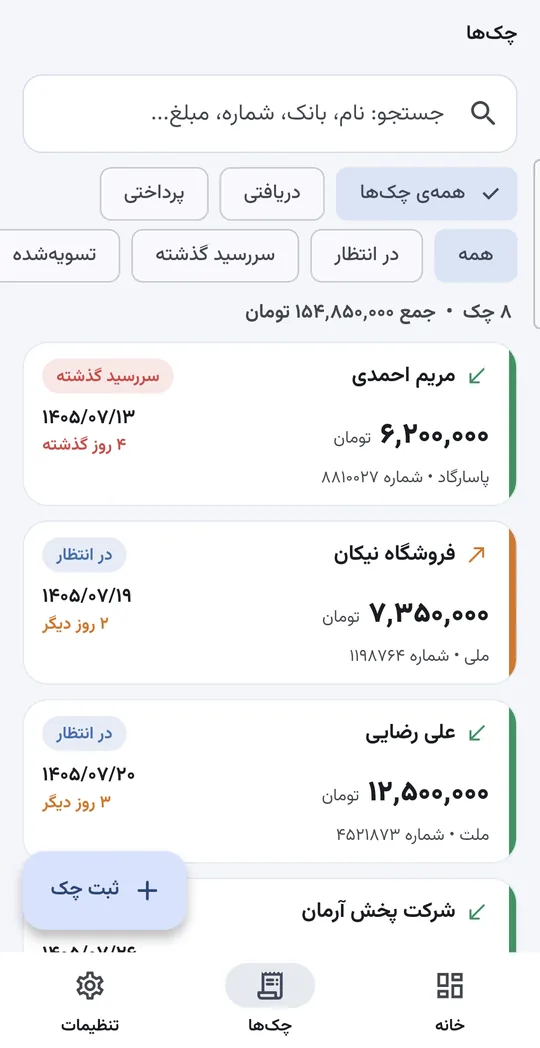
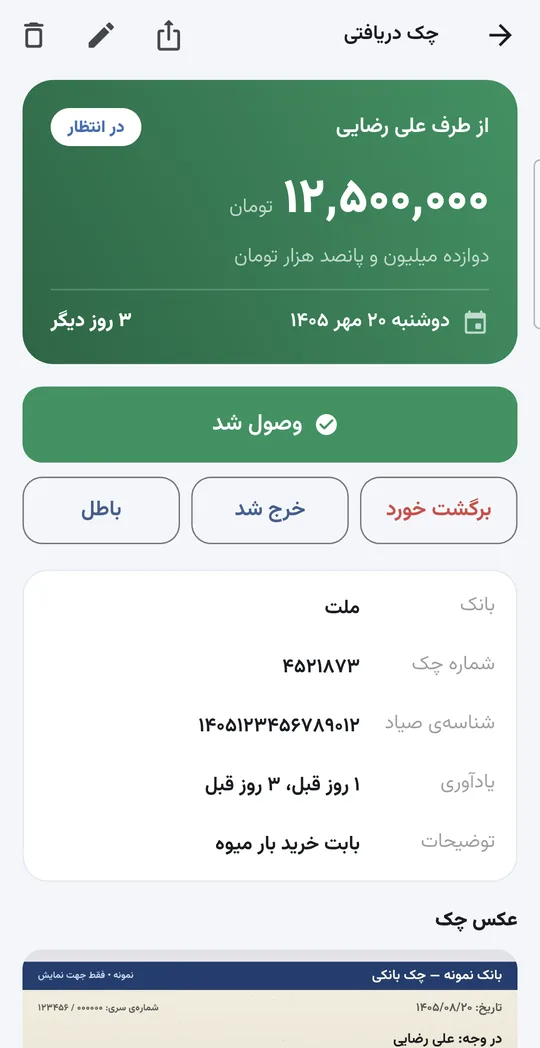
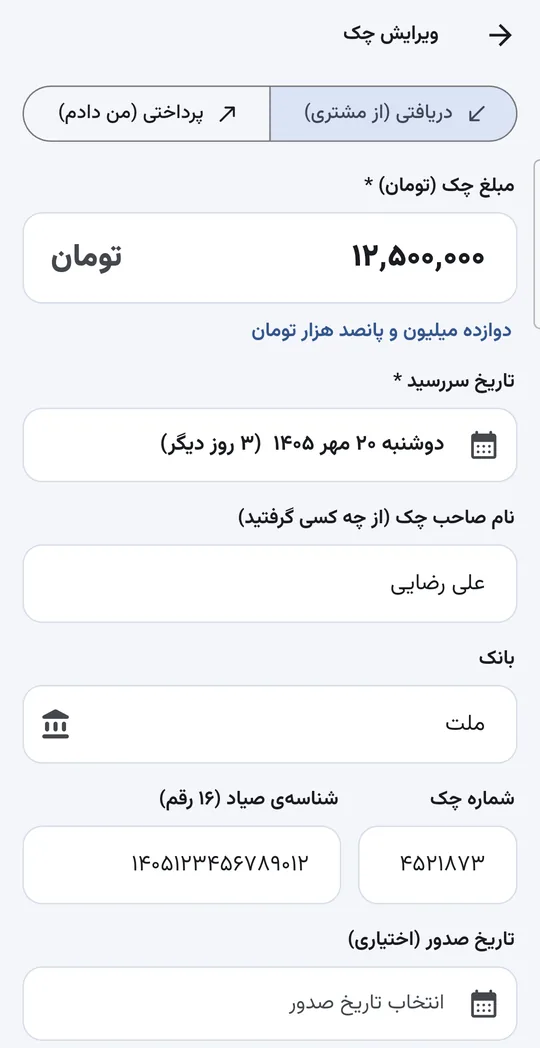
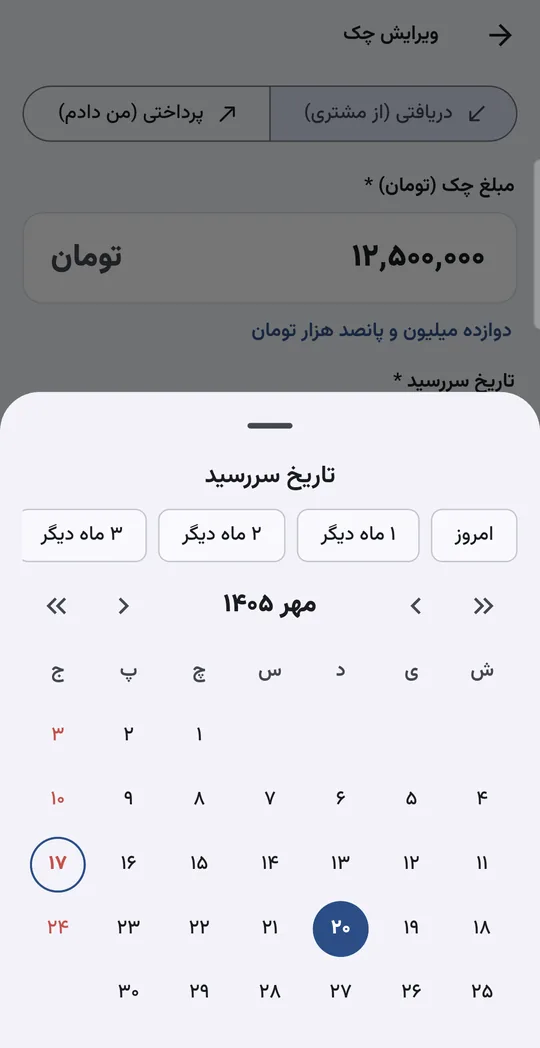
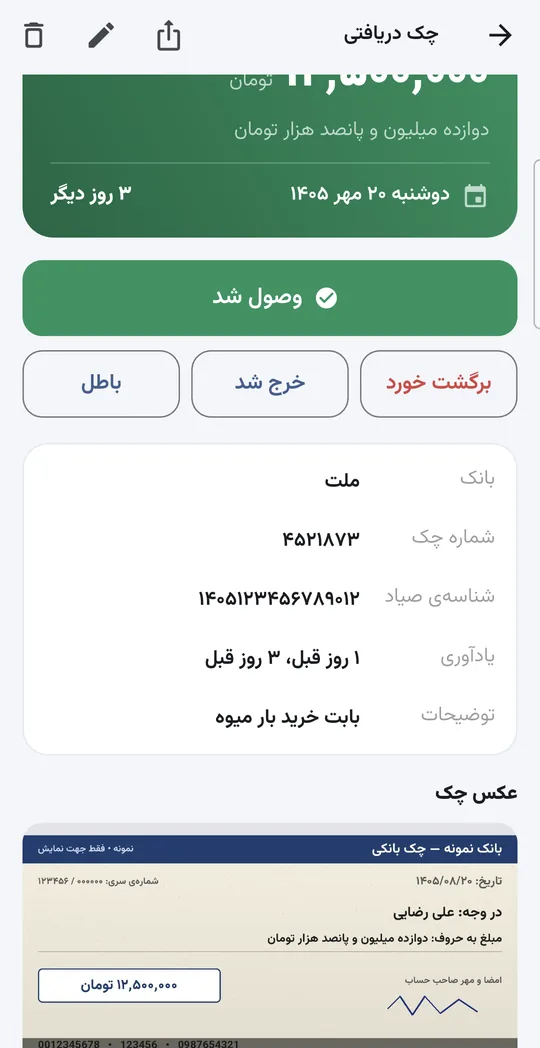
Chekyar is an Android app for managing received and issued cheques. You record each cheque with amount, counterparty, Persian (Jalali) date and photos of both sides, and get a notification before it falls due. A dashboard shows your pending balance and upcoming due dates, and everything stays on the phone behind a PIN and fingerprint lock.
Why Chekyar?
Made for: Shopkeepers, traders, contractors and anyone who receives or issues cheques in Iran
Due-date reminders
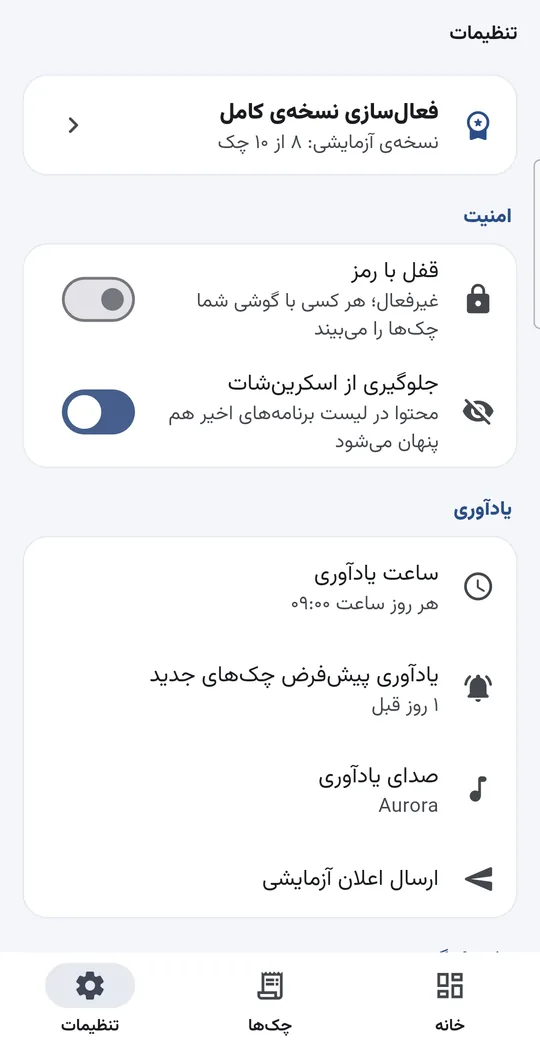
Get a notification before each cheque falls due; you choose the reminder time, sound and how many days ahead, so no cheque slips your mind.
Receivables and payables dashboard
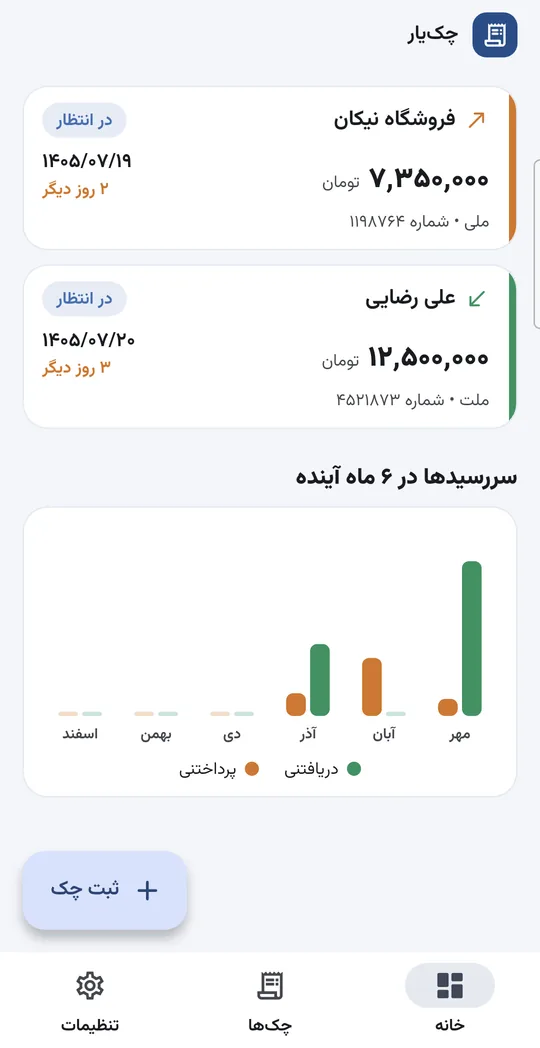
Pending balance, cheques due in the next 7 days, a six-month outlook and overdue alerts — all on one screen.
Photos of both sides
Photograph the front and back of each cheque; images are stored encrypted inside the app, not in the phone gallery.
PIN and fingerprint lock
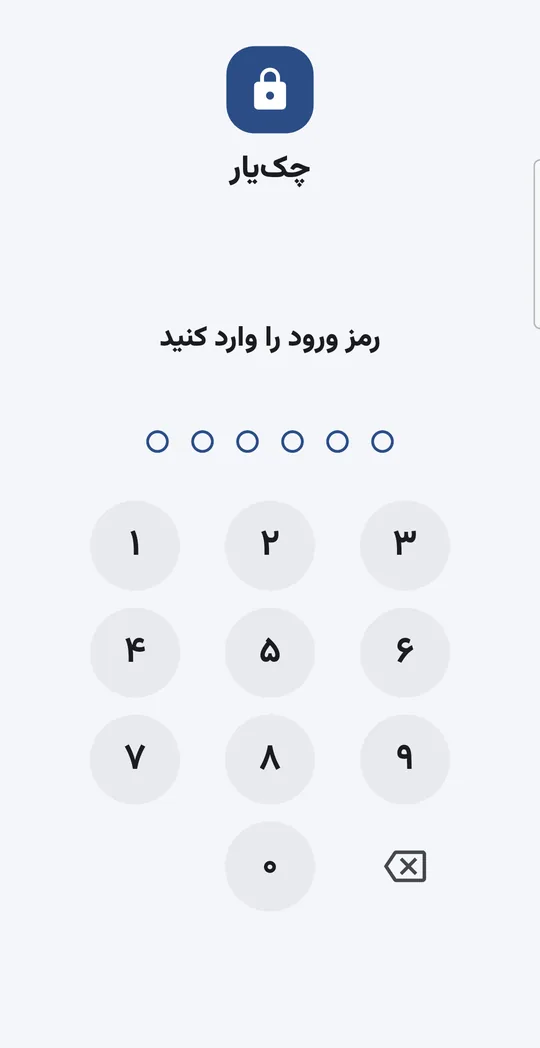
Unlock with PIN, fingerprint or face. A forgotten PIN is reset by confirming your phone’s own screen lock, without losing any cheques. Auto-lock after leaving the app and screenshot blocking; content is hidden in the recent-apps list too.
Encrypted backup
All cheques and photos go into a single backup file encrypted with your own password, ready to restore on a new phone.
Offline, no account
No sign-up and no server. All data stays on the phone and nothing is sent online; dates are Persian (Jalali) and amounts in Toman.
See the app
How do you install Chekyar?
You install the app from Cafe Bazaar; updates arrive from there automatically.
Install from Cafe Bazaar
Tap “Get it on Cafe Bazaar” and install Chekyar from Cafe Bazaar. Buying the full version later also happens inside the app through Cafe Bazaar secure payment.
Allow notifications
After opening the app, allow notifications and “Alarms & reminders”; without them due-date reminders cannot work.
Lock and first cheque
Turn on the password or fingerprint lock in settings and record your first cheque.
Pricing
Available on Cafe Bazaar, where the download is free; the trial records up to 10 cheques with every feature. The full version with unlimited cheques is 295,000 Toman, paid once, and is bought only inside the app through Cafe Bazaar secure in-app payment; the purchase stays on your Bazaar account and works again after a reinstall or on a new phone.
Android App Development
Want a similar product for your business or school?
Read more →Chekyar FAQ
Is Chekyar free?
The download is free and the trial records up to 10 cheques with every feature. To record more, the full version is a one-time payment of 295,000 Toman; existing cheques keep working either way.
How do I buy the full version?
In settings tap “Buy full version” and choose “Buy”. Cafe Bazaar handles the payment itself, so the Cafe Bazaar app must be installed on the phone and signed in to your account. Chekyar never sees any card or bank details.
Where is my cheque data stored?
Only on your phone. Chekyar has no server or account and sends nothing online; photos are stored encrypted too.
What if I change phones or reinstall?
The full-version purchase is stored on your Cafe Bazaar account. On the new phone sign in to Bazaar with the same account and tap “Restore purchase” in Chekyar. To move your cheques, create an encrypted backup file in settings and restore it on the new phone; keep the backup password somewhere safe, without it the backup can’t be restored.
Reminders aren’t arriving — what should I do?
Check in the app settings that notification and “Alarms & reminders” permissions are granted, then try “Send test notification”. On some phones you also need to disable battery optimisation for Chekyar.
Does it work on iPhone?
No, it is currently Android-only (Android 7.0 or later).
Related articles
What Determines the Cost and Timeline of a Mobile App?
The main factors behind Android and iPhone app cost and timeline, native vs Flutter, and how a minimum viable product (MVP) lowers the upfront cost.
Flutter vs Native (Kotlin and Swift): How to Choose for Your App
Flutter compared with native Android (Kotlin) and iPhone (Swift): cost, build speed, performance, device features, and which one suits your project.
Intelligent Automation: Which Process Should You Automate First?
Intelligent automation explained simply, and how to pick the first process to automate with tools like n8n and AI language models for the fastest payback.
Get advice on Android App Development
One short consultation is enough to clarify the path, timeline and rough cost of your project.
If you have a problem you think AI might solve, write to me. I’ll tell you honestly whether it will; sometimes the answer is no, and hearing that early is cheaper.